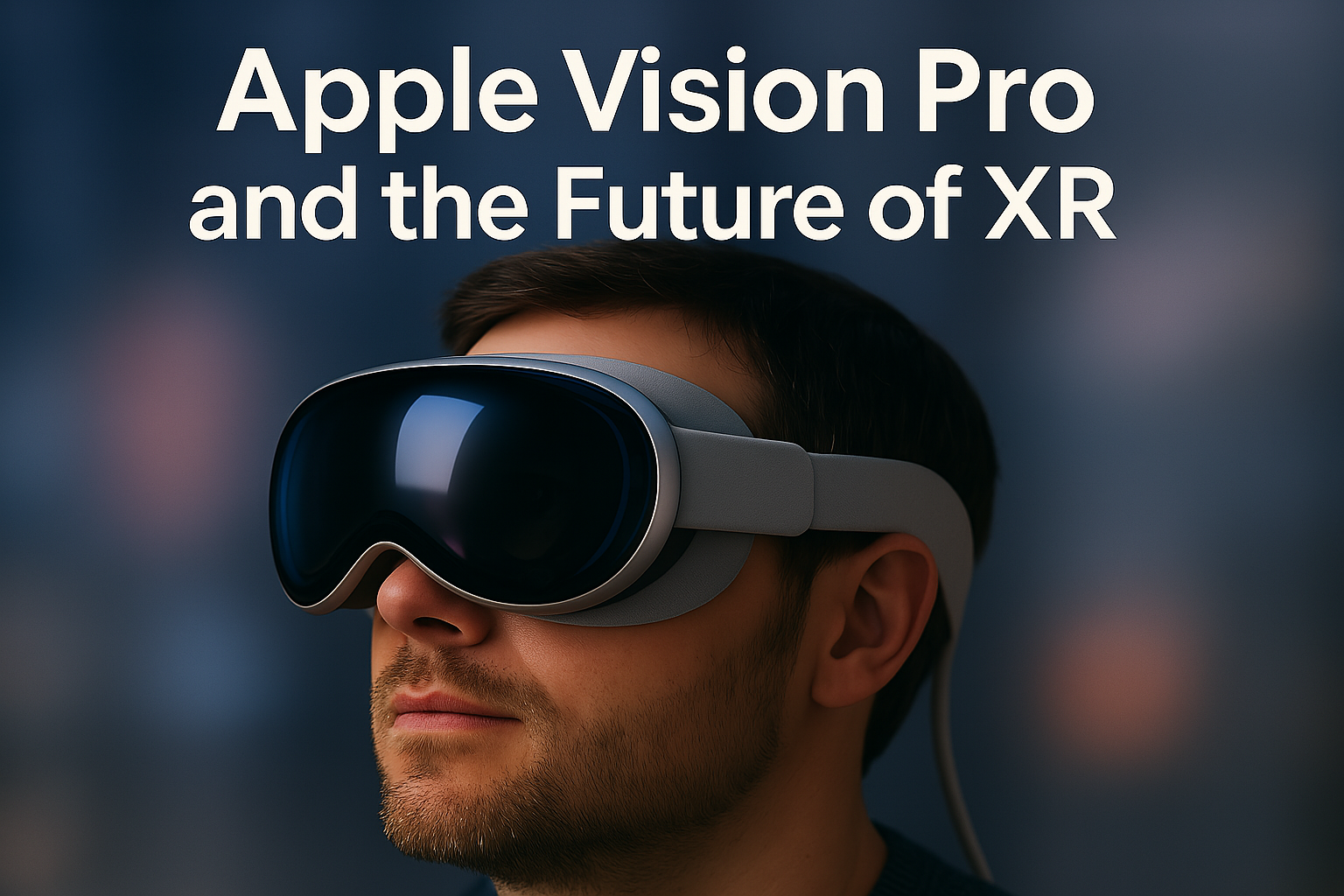

Apple Vision Pro is a “spatial computer” blending virtual and augmented reality elements, representing Apple’s ambitious entry into the XR market. Apple’s introduction of the Vision Pro headset in 2024 marks a turning point for extended reality (XR) – an umbrella term for virtual, augmented, and mixed reality. XR technologies overlay or immerse digital content into our view of the world, promising to transform how we work, play, and communicate. For years, companies like Meta (formerly Oculus/Facebook) and Microsoft have explored this space with devices such as the Quest and HoloLens. Now, Apple’s entry has reinvigorated interest in XR by bringing its design prowess and ecosystem to what it calls “spatial computing.” The Vision Pro seamlessly blends digital content with the user’s physical space and is touted by Apple as the start of a new era in personal computing. This high-profile debut comes after a decade of industry experimentation, at a time when XR is shifting from early hype to practical applications.
Early hands-on reports suggest the Vision Pro delivers a uniquely polished experience with its advanced hardware and intuitive interface. However, at a price of $3,499 and with a developer-focused first release, it’s clear Apple is aiming at professionals and enthusiasts rather than the mass consumer – at least initially. Meanwhile, Meta’s Quest lineup has already sold millions of units by focusing on affordability and gaming, and Microsoft’s HoloLens pioneered enterprise AR before recently pivoting strategy. In this comprehensive post, we’ll explore the core technologies enabling today’s XR, real use cases emerging across industries, how Apple Vision Pro stacks up against Meta Quest and Microsoft HoloLens, and what impact XR may have on work and everyday life. We’ll also examine user experience feedback from the field – separating genuine innovation from marketing magic. The goal is an objective, Ars Technica-style analysis of where spatial computing stands in 2025 and where it’s headed, balancing technical depth with real-world clarity.

Core Technologies and Real Use Cases
At its heart, XR (Extended Reality) refers to experiences that merge the physical and digital worlds. This includes virtual reality (VR) – fully immersive digital environments that block out the real world – and augmented reality (AR) – overlays of digital information on a see-through view of the real world. Mixed reality (MR) is often used to describe a blend of both, where virtual objects can interact spatially with the real environment. Apple’s Vision Pro, for example, is an MR device: it places high-resolution VR displays in front of your eyes, but uses an array of external cameras to pass through a live view of your surroundings, allowing virtual apps and objects to float in your actual room. In contrast, Microsoft’s HoloLens 2 is a see-through AR headset – it uses transparent waveguide lenses to project holograms onto your view of the real world, so you see digital imagery superimposed without blocking your natural vision. Meta’s Quest 3, while primarily a VR headset, also offers passthrough AR by using its outward cameras to show the real world on its internal screens, enabling mixed reality experiences.
Technical Building Blocks: All these XR devices share some core technologies. Advanced displays and optics are crucial to create convincing visuals. Apple Vision Pro sets a new bar with dual micro-OLED screens packing a combined 23 million pixels (more than a 4K TV per eye) for an ultra-high-resolution image. Text and 3D graphics appear exceptionally crisp on this headset’s displays, approaching retinal clarity. The Quest 3, by comparison, uses LCD panels at a resolution of 2064×2208 per eye (about 4.5 megapixels) and relies on “pancake” optics – a folded lens design that keeps the headset relatively compact. HoloLens 2’s optics project images onto transparent lenses; its field of view is around 52° diagonal, significantly smaller than the largely-encompassing view in Vision Pro or Quest, which have ~90–110° fields. This limited FOV on HoloLens means holograms can cut off at the edges of your view, an oft-noted weakness that breaks immersion Each approach has trade-offs: the Vision Pro’s enclosed displays enable total immersion and rich visuals (at the cost of needing pass-through cameras to see the real world), while HoloLens’s transparent display keeps you visually connected to your environment (at the cost of a smaller digital overlay and lower visual fidelity).
Another pillar is tracking and input. All three headsets use inside-out tracking, meaning they have cameras and sensors on the device itself to map the wearer’s position and movements in space (no external beacons needed). Apple equips Vision Pro with a multitude of cameras (front-facing, downward, side-facing) and a LiDAR scanner to track your hands, eyes, and room geometry in real time. Uniquely, Vision Pro forgoes any handheld controllers – it’s operated entirely by eye gaze, hand gestures, and voice. The headset’s eye-tracking is so precise that simply looking at a UI element and tapping your fingers selects it, which testers say quickly becomes second nature. Meta’s Quest 3 by default uses physical controllers (now improved “Touch Plus” controllers with better haptics), but it also supports hand-tracking and voice commands for a controller-free experience. Microsoft’s HoloLens 2 similarly relies on hands and voice – users can directly grab or tap holograms with their fingers or issue voice commands; HoloLens pioneered intuitive gestures like the “air tap” for selecting items. Each device also features advanced spatial audio systems, delivering immersive 3D sound that comes from specific directions in your physical space, enhancing realism.
Finally, there are the computing guts and software. Vision Pro is powered by Apple’s custom silicon: an M2 processor (comparable to a laptop/desktop CPU/GPU) and a dedicated R1 chip that processes input from cameras and sensors with ultra-low latency (ensuring the passthrough view and tracking feel instantaneous). It runs visionOS, a new operating system derived from iOS, which supports iPad apps alongside all-new spatial apps. The Quest 3 runs on a mobile Qualcomm Snapdragon XR2 Gen 2 chip – delivering console-like graphics in standalone VR – and uses a modified Android-based OS (with Meta’s optimized Quest software environment). It doesn’t reach the processing power of the Vision Pro, but it’s efficient enough to run for about 2–3 hours on a charge with a lightweight battery onboard. HoloLens 2 uses a Qualcomm Snapdragon 850 (an older mobile chip) supplemented by a custom Holographic Processing Unit (HPU) for spatial computations. Its OS is Windows-based (the Windows Holographic platform), meaning it can run UWP apps and integrate with Microsoft’s cloud services. However, its hardware is now dated by 2025 standards, and Microsoft has not released a major update to HoloLens hardware since 2019.
Real Use Cases Today: These technological differences influence what each device is currently used for in the real world. Meta’s Quest has found a strong niche in entertainment and fitness. With a $500 price point and a growing library of VR games, the Quest 3 (and its predecessor Quest 2) are popular for everything from intense workouts to immersive gaming. One reviewer described spending 30 minutes in an intense boxing workout in VR – swinging at virtual targets, heart rate up to 150 – using a Quest headset, which illustrates VR’s potential as an engaging fitness medium. Gaming experiences range from rhythm games like Beat Saber to richly interactive worlds that let users socialize as avatars. Meanwhile, Apple is positioning the Vision Pro less as a gaming device and more as a productivity and general computing platform. In Vision Pro demos, users have multiple resizable screens floating in their living room – essentially an infinite workspace for emails, web browsing, coding, or editing documents with just a MacBook and a keyboard connected wirelessly. Early adopters have begun using Vision Pro as a personal office: one user reported that they have “fully replaced [their] iPad” with Vision Pro for daily work, using the headset for writing and multitasking across apps, while occasionally pulling in a MacBook Pro screen when needed. The ability to pin life-size app windows around your environment and multitask with eye and hand control is a novel paradigm that makes tasks like organizing photos or having multiple chats and spreadsheets open at once feel futuristic yet productive.
Augmented reality use cases are emerging as well. With passthrough capabilities, both Vision Pro and Quest 3 can overlay content on the real world. For instance, you might use a Vision Pro to place a 3D model of a furniture piece in your actual room to see how it fits, or use a Quest’s mixed reality mode to play a game where virtual characters run on your real coffee table. However, as of now, many MR applications are still rudimentary. Reviewers note that Vision Pro’s current software mostly just floats traditional 2D app windows in space, with only a few early examples (like a 3D design app or an AR board game) hinting at more interactive mixed reality ahead. The Quest 3 has some fun MR games that use your room’s walls and furniture as props (for example, portals opening in your wall), but such experiences remain limited. Where AR shines already is in enterprise and specialist tasks: Microsoft’s HoloLens, being a true AR device, is employed in scenarios like on-site assembly, maintenance, and training. A well-known example is how Lockheed Martin uses HoloLens 2 to aid technicians building NASA’s Orion spacecraft. By wearing HoloLens, workers see animated, 3D step-by-step holographic instructions overlaid directly onto the parts they are working on – they don’t need to reference paper manuals or tablets at all. This has led to staggering efficiency gains: for certain procedures like marking locations for hundreds of fasteners, technicians using the AR guidance finished 90% faster than usual, and even more impressively, they recorded zero errors or rework on tasks done via HoloLens instructions. In industrial settings where mistakes are costly and training new staff is time-consuming, AR can deliver real ROI by boosting quality and speed simultaneously.
Beyond these, a variety of use cases across sectors are being trialed. In healthcare, surgeons are testing AR headsets to overlay MRI scans or patient vitals during operations, and VR is used for pain distraction therapy. In education, VR can take students on virtual field trips or inside a human cell, and AR can make lab experiments interactive. In the office, XR enables virtual meetings where colleagues appear as avatars or holograms sharing a space – more engaging than Brady Bunch-style video call grids. In fact, with the rise of hybrid work, some companies have explored VR collaboration environments. For instance, consulting firm Accenture purchased 60,000 VR headsets to onboard and train new hires in virtual campuses, aiming to give remote employees a more immersive, engaging orientation experience than traditional video calls. While still experimental, these initiatives show the confidence that enterprises have in XR’s potential to transform workflows.
Crucially, XR is no longer just tech demos; tangible applications are growing. Over 50% of global manufacturing companies are projected to implement XR solutions by 2025, and in healthcare a striking 84% of professionals believe AR/VR will positively impact their industry, particularly in training and remote care. This suggests that after years of hype, XR is gradually finding its footing as a practical tool in certain domains. At the same time, consumer adoption is cautious – many remember the fanfare around VR during Facebook’s “metaverse” pivot that never quite translated into a mainstream lifestyle change. The Vision Pro’s debut, coming in the wake of that tempered hype cycle, has to prove that spatial computing can deliver real value without being just an expensive novelty. In the next section, we’ll directly compare how Apple’s device differs from Meta’s and Microsoft’s offerings, and how each reflects a distinct strategy for the future of XR.
Apple Vision Pro vs. Meta Quest vs. Microsoft HoloLens

Apple Vision Pro (left) and Meta Quest 3 (right) represent two divergent approaches to XR hardware – one a premium mixed reality “spatial computer” with cutting-edge tech, the other a mass-market VR headset optimized for gaming and affordability. Apple, Meta, and Microsoft have each carved out unique positions in the XR landscape. The Apple Vision Pro is a no-expense-spared design to push the boundaries of what’s technologically possible in a consumer headset. Meta’s Quest 3 (along with the earlier Quest models) emphasizes approachability and content, aiming to put VR in the hands of millions. Microsoft’s HoloLens 2 targets professional use, with a focus on AR for workers and specialists. To understand their differences, let’s compare key features and specs:
| Feature | Apple Vision Pro (2024) | Meta Quest 3 (2023) | Microsoft HoloLens 2 (2019) |
|---|---|---|---|
| Device Type | Standalone Mixed Reality (VR/MR) headset – passthrough AR via cameras | Standalone VR headset with passthrough AR | Standalone Augmented Reality headset (optical see-through) |
| Display & Optics | Dual micro-OLED 4K+ displays (23M pixels total); 90Hz; wide FOV; internal lens for each eye | Dual LCD displays (2064×2208 per eye); 90Hz (120Hz max); ~110° FOV; pancake lenses | Transparent waveguide lenses (AR holographic display); ~2K per eye (1440×936 render res); ~52° diagonal FOV; see-through optics |
| Input & Tracking | Inside-out tracking (12+ cameras, LiDAR); eye tracking, hand gestures, voice control (no controllers); Precision eye-hand coordination | Inside-out tracking (4+ cameras, depth sensor); Touch Plus handheld controllers (with hand-tracking and voice support); no eye tracking on Quest 3 | Inside-out tracking (4 cameras + depth); Hand gestures (direct manipulation), voice commands; optional clicker; eye tracking for UI focus |
| Processing | Apple M2 chip (Laptop-class) + Apple R1 coprocessor for sensors (ultra-low latency); active cooling (fans) | Qualcomm Snapdragon XR2 Gen 2 (Mobile SoC); 8 GB RAM; no active cooling (fanless) | Qualcomm Snapdragon 850 (Mobile SoC) + Holographic Processing Unit; 4 GB RAM; fan-cooled |
| Operating System | visionOS (Apple’s spatial OS; runs dedicated visionOS apps and iPad/iOS apps); new App Store for XR | Meta Quest OS (Android-based VR platform); Quest Store for apps/games (huge library of VR content) | Windows Holographic (based on Windows 10 core); Microsoft MR platform (UWP apps, enterprise app ecosystem) |
| Audio | Integrated spatial audio via dual speakers near ears (Personalized audio profiles) | Integrated speakers in head strap; positional audio; 3.5mm jack for headphones | Integrated spatial audio speakers in headband; 3.5mm jack |
| Special Features | “EyeSight” external display shows wearer’s eyes to others (for social presence); 3D photo/video capture (stereo cameras); Digital Crown for immersion level; external battery pack | Color passthrough MR (stereoscopic); high-resolution depth sensor for environment mapping; mixed reality game space mapping; supports PC-VR link (optional tether to PC for high-end VR) | Fully see-through AR (no passthrough needed); enterprise-grade durability; can pair with hardhat; iris recognition for login; supports Multi-user shared holograms via Mesh |
| Battery Life | ~2 hours on external battery pack (hot-swappable); all-day use plugged in | ~2–3 hours on built-in battery (depends on content) | ~2–3 hours active use on built-in battery (replaceable) |
| Weight | ~550g (estimate; main unit) plus separate battery (attached via cable) | 515g (headset with strap, no cable) | 566g (headset device; balanced with crown-style fit) |
| Price at Launch | US $3,499 (high-end, first-gen) | US $499 (128GB model); $649 (512GB) | ~US $3,500 (enterprise sale only) |
| Target Market | Professionals, developers, early adopters; high-end consumers (future) | Mainstream consumers and gamers; also some enterprise trials (using Quest for Work) | Enterprise, industrial, medical, military (not marketed to consumers) |
| Status (2025) | Launching in limited markets (US release early 2024; broader in 2025); ongoing developer kit phase | Widely available globally; millions sold across Quest line; Quest 3 is current model | Discontinued (Oct 2024) – Microsoft ended production to shift focus to XR software/services |
Looking at this comparison, a few themes stand out. Apple’s Vision Pro vs Meta’s Quest: The Vision Pro significantly outclasses the Quest 3 in hardware specs – its displays are much sharper (text is easily readable, where Quest’s view can appear “fuzzy” and you may struggle to see fine details like phone text or a laptop screen through the Quest), and it introduces advanced features like eye-tracking input and a novel external eye display. It is, however, tethered to a battery pack and weighs more, whereas the Quest 3 is fully wireless with all components on-head. For the average user, the experience these two offer will feel very different. Vision Pro is geared towards mixed reality productivity and multimedia in a polished Apple ecosystem way. Early testers have raved about its rich visuals and seamless multitasking – you can have multiple apps open as floating screens, reposition them with a glance and pinch, and even see live 3D personas of people during FaceTime calls. By contrast, Quest 3 runs only one major app at a time (aside from maybe a secondary panel like Spotify or Messenger in the background) and is primarily optimized for interactive VR experiences. If you want to play high-energy VR games, do a workout, or explore the Metaverse’s social hubs, the Quest is the practical choice for now – as CNET put it, “if you want something affordable you can use… right now, the choice should be the Quest 3 for nearly everyone”. The Vision Pro’s appeal lies in its vision of replacing or augmenting many daily computing tasks (work or entertainment) with spatial apps, but that vision comes at an early-adopter price and with questions about software support (more on that later).
Different Philosophies: Apple’s strategy with Vision Pro seems to mirror its approach with the original Macintosh or iPhone – start at the high end to showcase what’s possible, trusting that hardware will miniaturize and costs will come down in subsequent generations. There are reports that a lighter, more affordable second-gen Apple headset is already in development, aiming for a broader consumer market in a few years. Meta’s approach, conversely, has been to drive adoption now by aggressively pricing the Quest (the Quest 2 launched at just $299) and eating hardware costs, in order to seed the market and build a user base. That succeeded to an extent – Meta has sold nearly 20 million Quest headsets as of 2023, more than any other VR platform. However, retention has been an issue: many buyers use the device for a few months and then shelf it, which Meta is keenly aware of (“we need to be better at growth and retention… to make [VR] more intuitive so people can count on it,” said Meta’s VP of VR). Apple presumably hopes that by integrating into its already sticky ecosystem and focusing on practical use cases (work productivity, everyday apps, photos, movies) in addition to entertainment, Vision Pro might avoid the “novelty wear-off” problem. Still, given its cost, Apple is clearly not aiming for tens of millions of units sold in year one – it is content with a slower burn while developers create the killer spatial apps that will justify mass adoption down the line.
Meanwhile, Microsoft’s HoloLens stands apart by targeting AR for enterprise. It was never competing in the consumer space, and that focus shows in its design: a self-contained visor that doesn’t obscure your surroundings and allows hands-free operation, which is ideal for, say, an engineer who needs to see machinery while getting overlay instructions. In practice, HoloLens 2 earned praise for its innovative breakthroughs (like very natural direct hand manipulation of holograms) but struggled with some limitations – especially that constrained field of view and a high price. Microsoft found that only specialized sectors (manufacturing, military, medical, etc.) were willing to invest in developing for it. By late 2023, it became apparent that Microsoft would pivot away from making XR hardware. In October 2024, they discontinued HoloLens 2 production entirely, surprising some who expected at least a HoloLens 3. Citing the still-nascent state of the XR market for high-end devices, Microsoft is now focusing on XR software and partnerships instead of building its own next-gen headset. (Notably, Microsoft has been working with the US Army on an adapted HoloLens for soldiers – the IVAS program – but that too faced setbacks and usability criticisms, underscoring how challenging it is to get AR hardware right.) Going forward, Microsoft is likely to contribute through its Mesh platform for holographic collaboration and ensure its software (like Microsoft Teams, Dynamics 365 guides, etc.) works on others’ XR devices, possibly including future partner-made headsets running Windows or a flavor of it. In fact, rumors suggest Microsoft could collaborate with other hardware makers (like Samsung or Magic Leap) on future mixed reality devices rather than go it alone. This contrasts with Apple and Meta, who see XR as a core part of their own hardware ecosystems.
Content Ecosystems: Another critical aspect of this competition is software and content availability. Meta’s Quest has a several-year head start with a robust app store of VR games and experiences, from blockbuster titles to indie experiments. If you buy a Quest 3 today, you have immediate access to hundreds of apps (and even more if you count compatible Oculus Rift titles via PC link). Apple, despite its legendary App Store success on iPhone, is essentially starting fresh with visionOS. At launch, Vision Pro can run a large catalog of existing 2D iPad and iPhone apps (in windowed form), which gives users things to do (you can use your favorite iPad productivity app or iPhone game in a floating window). But the truly spatial, 3D apps must be built for visionOS, and those are limited in these early days. Apple showcased a handful of third-party apps (like a Pixar animation viewer, a DJ app, etc.), and internally developed experiences (such as an immersive video cinema and interactive panoramas). However, reports indicate developer interest has been cautious – by late 2024, the number of new visionOS apps being released each month was actually falling, and some major VR developers (who have made hit games for Quest or PC VR) have not committed to making Vision Pro content yet. Apple reportedly has had trouble getting its normally enthusiastic developer community to invest heavily in this first-gen device, likely due to the small initial user base and uncertainty about how fast it will grow. This is a stark difference from the iPhone’s launch, where developers raced to populate the App Store. It suggests that Apple may need to evangelize more, perhaps by funding content or demonstrating that a “spatial app” can be profitable and groundbreaking in ways a flat app isn’t.
On the other hand, Microsoft’s HoloLens ecosystem, while sparse, has some powerful enterprise solutions (many HoloLens deployments use custom-built apps or platforms like Dynamics 365 Guides for guided steps, Remote Assist for video calls with AR annotations, or third-party AR platforms in manufacturing). But there is no public “app store” with hundreds of consumer apps for HoloLens – it was always a closed, enterprise-driven ecosystem. Microsoft did integrate HoloLens with its Azure cloud services for special capabilities (like object anchoring and spatial analytics), and those might live on in its software strategy.
In terms of longevity and future prospects: Apple’s Vision Pro is expected to iterate and possibly spawn a whole new product line (including, eventually, lightweight AR glasses years down the road). Meta is committed to annual or semi-annual updates in the Quest line and is also developing AR glasses (they’ve released camera glasses with Ray-Ban and envision full AR in the future). Microsoft’s retreat from hardware might be temporary if the market matures – they might re-enter with a Surface XR device one day, but for now they seem content to let others lead on devices. There are also other players: Magic Leap makes an enterprise AR headset (Magic Leap 2) that improves on some of HoloLens’s optical issues (wider FOV, etc.), and various startups and tech giants (Google, Qualcomm, etc.) are working on XR tech behind the scenes. But at this moment, Apple, Meta, and Microsoft’s approaches exemplify the key diverging paths for XR.
To sum up, Vision Pro vs Quest vs HoloLens is not a one-size-fits-all comparison – each is built around different use cases. Vision Pro and Quest 3 actually share a lot (both are self-contained MR-capable goggles), yet one prioritizes premium experience and multi-application computing, while the other prioritizes cost-effective immersion and an open games library. HoloLens 2 shares the high price of Vision Pro but uses a fundamentally different optical method aimed at enabling heads-up, hands-on workflows in enterprise settings. If you’re a developer or business deciding which platform to target, you’d consider these differences: the Quest’s large user base and Meta’s ecosystem (geared toward entertainment and social VR), Apple’s compelling tech and integration (geared toward productivity and high-end users), or HoloLens/Magic Leap style AR (geared toward industry with very specific applications). In any case, all three illustrate the spectrum of XR’s possibilities. Next, we will explore what impact these XR technologies may have on how we work and live daily – are they truly transformative or still searching for a purpose?
Impact of XR on Work and Everyday Life
The ultimate promise of XR is to augment human capabilities in both professional and personal contexts. After several years of refinement, we’re starting to see real impacts in certain domains. In the workplace, XR has demonstrated clear benefits in training, visualization, and collaboration. We already discussed how a company like Lockheed Martin achieved 90% faster assembly on spacecraft parts and zero errors by using HoloLens AR guidance– a concrete productivity leap that simply wasn’t possible with traditional tools. This is not an isolated case; across manufacturing and field service jobs, AR is reducing cognitive load on workers by bringing instructions and reference materials into their line of sight. Companies deploying AR report workers become proficient faster and make fewer mistakes. A 2020 study by PwC found that VR training can train employees up to 4× faster than classroom training and with higher confidence, especially for soft skills and procedural tasks, because of the immersive practice and muscle memory VR can provide. It’s no surprise then that in sectors like automotive, aerospace, and oil & gas, big firms have been experimenting with XR for job training and simulation. By 2025, over half of global industrial firms are expected to be using XR in some form on the factory floor or in design workflows.
Remote collaboration is another work aspect XR is reshaping. The COVID-19 pandemic accelerated interest in virtual meeting spaces, as teams sought more engaging alternatives to Zoom calls. VR meeting apps (e.g. Meta’s Horizon Workrooms, Microsoft Mesh, Spatial) allow people to gather in a shared virtual office, represented by avatars, where they can sketch on a virtual whiteboard or inspect a 3D model together. While still niche, early users say this can create a better sense of presence and more natural interaction dynamics than grid video calls – you can read body language from an avatar’s head and hand movements, and use spatial audio to hear voices coming from the direction of colleagues around a virtual table. Some large organizations have piloted using VR for brainstorming sessions or cross-site team building. For instance, consulting firm PwC built a virtual meeting center for its executives to mingle remotely. Apple’s Vision Pro could push this further with its Persona avatars: the device creates a realistic digital representation of your face and hands, allowing your avatar to mimic your actual expressions in real time. In a Vision Pro FaceTime meeting, instead of a cartoonish avatar, colleagues would see a life-size, somewhat lifelike projection of you in their space (and vice versa). This is a bold attempt to preserve human nuances in remote communication. The effectiveness of this approach is still unproven at scale – some find these avatars a bit uncanny – but it points toward a future where distance is less of a barrier to “in-person” interaction thanks to XR.
In everyday office productivity, XR can provide virtually unlimited workspace. Think of stock traders with six monitors or video editors with a giant ultrawide display – XR can give anyone as many screens as they want, arranged in 3D space. Already, apps like Immersed and Spatial on Quest allow users to work on their Mac/PC screens in VR, effectively creating a multi-monitor setup in a coffee shop or airplane. Apple Vision Pro takes this concept mainstream by letting you pull your Mac screen into the headset and then expand it with additional virtual displays as needed. Early Vision Pro users have noted the appeal of being able to have a huge 4K screen for their code editor floating in front, another for documentation off to the side, and a video playing above – all in a hotel room or a cramped apartment with no physical monitors at all. This could benefit productivity for those who work with complex, multi-window tasks (developers, analysts, designers), though it remains to be seen how comfortable it is to wear a headset for an 8-hour workday regularly. One tester who used Vision Pro for full work days (with breaks) over a month reported they did not experience significant eye strain or discomfort and were impressed by how it integrated into their workflow. However, they also acknowledged it’s still a bit awkward – especially managing the tethered battery and the fact that you’re physically isolated from your environment.
Outside of work, what does XR mean for everyday life? One near-term impact is on media and entertainment consumption. VR headsets can create a personal IMAX theater; many users enjoy watching movies or sports on a massive virtual screen with cinematic surroundings (for example, a virtual theater or a scenic outdoor backdrop). The Vision Pro explicitly markets this use case – watching a film in an immersive environment or viewing 3D recordings of special moments (Apple even built a 3D camera into Vision Pro for capturing memories in depth). For gaming, VR offers experiences flat screens can’t, like physically dodging bullets in Superhot VR or piloting a starfighter in Star Wars: Squadrons with full cockpit immersion. These experiences, while fantastic for some, remain relatively niche; VR gaming hasn’t yet broken into the mainstream gaming community, many of whom still prefer consoles or PC setups. That said, titles like Beat Saber achieved enough popularity to be household names, and platforms like PlayStation VR2 (for PS5) continue to push VR gaming forward in the console world alongside Quest on the standalone front.
Social and daily utility of XR is still an open question. AR has perhaps more everyday potential than VR since it can be used on the move. Already, millions use primitive AR on smartphones for things like Snapchat filters, Pokémon Go, or Google Maps’ Live View (which overlays arrows on the real world to help with walking navigation). True AR glasses could one day translate signs in real-time, show your route directions in front of your eyes, or give information about what you’re looking at (imagine walking in a new city and seeing historical facts appear next to buildings). HoloLens and Magic Leap have demonstrated such concepts, but the hardware needs to shrink and become stylish (looking more like normal glasses) before average consumers will wear them about town. That is likely years away. In the meantime, spatial computing at home could change daily routines: for example, instead of a TV in your living room, you might put on a lightweight XR headset and just spawn a virtual 120-inch screen wherever you sit. You could have family game night in AR, with virtual game boards on your coffee table. Cooking while wearing an AR headset could let you see recipe instructions floating next to the stove. These scenarios are actively being explored by developers now that hardware like Vision Pro provides a capable canvas.
However, we should temper the enthusiasm with practical considerations. Current XR devices are still relatively bulky and power-hungry. Wearing a Vision Pro or Quest for hours straight can cause fatigue – even if the visual experience is comfortable, the sheer weight on your face and the heat build-up remind you it’s not “invisible” technology yet. Socially, there’s a hurdle: interacting with someone wearing a face computer can feel awkward. Apple tried to mitigate this with the Vision Pro’s EyeSight, which shows a digital approximation of the user’s eyes on the outside of the headset to help others know when they’re being “seen.” In theory this preserves social connection, but in practice reviewers found EyeSight to be unconvincing and even uncanny – the external display is dim and low-res, often looking like a ghostly set of eyes that don’t quite match the real thing, especially in brighter environments. It’s a reminder that we’re still in the early stages of figuring out how to blend the digital and human seamlessly. Safety and privacy are also concerns: VR completely occludes your surroundings, which means you need to trust the device’s cameras and algorithms to alert you to hazards (both Quest and Vision Pro will Passthrough or show a notification if you’re about to bump into something or if someone walks up to you). AR devices have outward-facing cameras constantly scanning the environment, raising privacy questions about recording or identifying people. These are challenges that will need robust solutions as XR becomes more common in public and shared spaces.
From a societal perspective, if XR does become widespread, it could alter behaviors much like smartphones did. Imagine people in public transit wearing AR glasses that overlay their messages or news, effectively in their own mixed reality bubble. Or families having to set “XR time” rules at home similar to screen time limits. The technology has incredible potential to enrich how we experience information – making it more interactive and contextually relevant – but also risks further blurring the line between the real world and digital distractions. It’s telling that tech ethicists are already discussing etiquette for AR (for instance, it might be considered rude to wear opaque XR glasses during a face-to-face conversation, similar to how Google Glass wearers faced backlash).
In summary, the impact of XR on work and life is just beginning to unfold. In workplaces, XR is proving its worth in specific high-value use cases: accelerating learning curves, reducing errors, enabling collaboration across distances, and visualizing data in new dimensions. These incremental improvements are building a business case for XR investment. In everyday life, XR is still more of a luxury or novelty, enhancing entertainment and offering new ways to interact with digital content. We can do things that were sci-fi a decade ago – like box with a virtual trainer in our living room or have a three-dimensional video chat – but these aren’t (yet) things everyone does daily. The next few years will be critical: as devices like Vision Pro put XR in front of more developers and early users, we’ll see whether truly compelling “must-have” consumer applications emerge. If they do, XR could transform from a cool gadget into a mainstream necessity that changes how we use computers much as the smartphone did. If they don’t, XR might remain relatively niche – popular in gaming and certain industries, but not a part of everyone’s daily toolkit. The mixed signals in 2024 (high excitement for Apple’s launch, tempered by slow developer uptake and Meta’s struggles with user retention) show that the future is not guaranteed. What is clear is that XR is maturing and finding its footing in practical ways, even as big questions remain about how far its adoption will go.
UX and Real-World Feedback
With first-generation XR devices now in users’ hands, feedback from real-world use is invaluable in separating marketing promises from day-to-day reality. Let’s start with the Apple Vision Pro, since it represents the latest and most sophisticated hardware. Early reviewers and developers who have spent significant time with Vision Pro describe it as a technological marvel – but one that comes with caveats. The visual experience and input system earn near-universal praise: the clarity of the displays makes text and details easily readable (something often troublesome in other headsets), and interacting by simply looking and pinching feels natural and almost magical. “It’s the coolest piece of technology I’ve ever used,” admitted one reviewer, “but…” there are plenty of “buts”. They note that it’s heavy and front-heavy, since it packs so much into the goggles; extended wear can be tiring despite a comfortable strap system. It’s expensive, of course, limiting the pool of peers to interact with. It’s socially awkward – wearing any headset isolates you, and even with EyeSight showing your eyes, the Vision Pro can make you look like you have scuba goggles on. Apple’s choice of a tethered battery pack is a double-edged sword: it keeps the headset lighter on the head and allows swapping batteries for longer sessions, but users have to deal with a wire running from the headset to their pocket or hand. Managing that cable “feels like a full-time job,” one user quipped – if you let it dangle, it’s weird, but if you route it under your shirt or chair, it might snag when you turn your head.
On the positive side, those who have spent weeks with Vision Pro report becoming genuinely productive and comfortable with it. One early adopter logged around 150 hours wearing Vision Pro for work and leisure and observed no significant eye strain, skin issues, or ill effects beyond what they’d get staring at a normal screen. They found the fit and weight distribution acceptable with the right adjustments (and Apple provides multiple band options to help different head shapes). This is encouraging, suggesting that well-designed XR can be used for long durations if done right. It’s also worth noting the reliability of the hand/eye tracking has impressed users – the device accurately recognizes subtle pinches and where you’re looking almost every time, which is critical for a good UX. Any lag or misrecognition in such a novel input method would have broken the illusion, but Apple’s R1 chip doing sensor processing in 12 milliseconds seems to have solved that; testers consistently describe the interface as responsive and precise.
However, software limitations have been a source of user feedback. As of early 2025, Vision Pro’s app ecosystem is limited. Many users are essentially running enlarged iPad apps, which, while useful, are not fundamentally new “spatial” experiences. There is excitement about what could be (developers are tinkering with 3D data visualizations, immersive storytelling, etc.), but regular users might currently find the selection of true XR apps sparse. Some also note that the device currently has some rough edges typical of 1st-gen products – for instance, occasional motion blur on fast-moving content (perhaps due to the 90Hz refresh rate, whereas some VR units can go to 120Hz), and the headset can get warm during intensive use (it has two small fans, which thankfully are near-silent, but you feel warmth on your face after an hour or two). These are not deal-breakers in testing, but they remind us that perfection is elusive in generation one.
Switching to the Meta Quest 3, user feedback is generally that it’s the best-balanced VR headset for consumers so far. It significantly improved display resolution and passthrough quality over the Quest 2, and people appreciate the slimmer profile thanks to the pancake lenses. The image is brighter and crisper, and the color passthrough means you can actually walk around your house with the headset on without feeling blind – something many Quest 2 users avoided. That said, reviewers point out that Quest 3’s passthrough, while in color, still isn’t nearly as sharp as reality: text on a phone or paper is hard to read and fine details are blurry. It’s good enough to occasionally check your surroundings or have a quick chat without removing the headset, but not clear enough to, say, work on your real laptop through the headset for hours. In terms of comfort, Quest 3 is in the middle of the pack. Weighing about 515g, it’s a bit heavier than its predecessor but the weight distribution is improved by the slimmer front. Users find it comfortable for moderate sessions (1-2 hours), but note that you’ll still feel pressure on your face and some heat build-up over longer play sessions – inherent issues for any fully self-contained headset. The soft strap (no top strap included by default) has been a minor complaint; serious users often buy the optional Elite Strap for better support.
One interesting piece of real-world feedback on Quest and similar VR devices is how they integrate (or not) into daily routine. Many users report a pattern: intense usage when new (trying all the games, showing friends), then a drop-off, then occasional use for specific apps they love (like a workout app or a weekly game night in VR). The devices are still bulky enough that “putting on the headset” is a conscious activity, unlike a phone which you just pull out anytime. That’s a psychological barrier to continuous use – it might change as headsets become lighter and more glasses-like. Quest 3 owners do praise certain everyday use cases: for example, doing a 20-minute guided meditation in VR, which can feel more immersive and relaxing than one on a phone, or using a virtual big screen to watch a movie in bed without a TV. There’s also growing appreciation for VR fitness – apps like Supernatural and Les Mills BodyCombat have dedicated followings who say VR made their exercise routine more fun and engaging than anything they did before. These are the kinds of organic use cases that indicate VR can carve out a regular spot in users’ lives beyond gaming.
What about the Microsoft HoloLens 2 users? This is a smaller community, but their feedback highlights the different nature of AR wearables. Industrial users often laud how HoloLens lets them access information hands-free while still doing their job. For instance, a field technician can pull up wiring diagrams or start a video call with a remote expert who sees their point of view – all while still seeing the equipment in front of them. This heads-up, see-through AR is arguably HoloLens’s greatest strength; users aren’t isolated, so situational awareness is maintained. In pilot programs, workers reported feeling more confident and less cognitively strained when using AR assistance, since they didn’t have to stop and consult a manual or screen – everything they needed was in view. On the flip side, the user experience issues we noted (narrow field of view and bulk) do come up in feedback. New users often expect a wider view and are initially disappointed to find that holograms “cut off” if they move their eyes too far. Over time, they learn to work within that box, but it’s a constraint that makes AR feel less magical than one might hope. Comfort is another mixed bag: HoloLens 2’s design with a top headband and brow pad is actually pretty comfortable for a device of its size – it balances weight well and doesn’t squeeze your face. Many enterprise users can wear it for a couple of hours on and off without complaint. But it’s still ~566g on your head, and people do take breaks. Additionally, some have reported that the device’s front pad pressing on the forehead can leave marks or get sweaty in warm environments. Battery life (~2 hours active) can frustrate if you need it for longer shifts, though swappable battery attachments from third parties exist.
One must also mention that HoloLens 2’s software UX was oriented towards enterprise and lacks the slickness of consumer platforms. Simple things like app launching or updating the device could feel clunky. With Microsoft’s recent shift, there’s uncertainty among users about long-term support – though Microsoft has pledged support through at least 2027 for existing units. Some HoloLens projects have paused as organizations wait to see what comes next (e.g., the U.S. Army’s program underwent reviews due to soldier feedback about bulk and sensor issues). The takeaway from HoloLens users is that AR glasses can indeed perform unique tricks that improve workflows, but the tech still needs to evolve (wider FOV, lighter form, more polish) for it to be a seamless part of daily work.
Across all these devices, a common refrain in user feedback is: content is king. A fancy headset means little if there’s nothing compelling to do with it. Users heap praise on the specific apps or experiences that justify the hardware: a breathtaking educational tour, a deeply immersive game, a life-size design review that saved a project. Conversely, users grow bored if new content dries up. This is why Vision Pro’s fate will heavily depend on developers’ ability to create wow-worthy experiences, and Quest’s continued success hinges on fresh titles and updates to keep people coming back. It’s telling that in late 2024, as Vision Pro dev kits were out, some devs expressed skepticism – one remark making rounds was that Vision Pro currently feels like “an over-engineered dev kit” itself, implying it’s amazing hardware awaiting the software to match.
Finally, user experience isn’t just individual – it’s also about others around the user. Families and coworkers are now encountering XR devices in their environments. Some early Vision Pro testers noted how other people reacted: initial curiosity (“wow, that looks futuristic!”) can give way to a kind of social disconnect. If someone in a household is wearing a Vision Pro, even with EyeSight showing a hint of their eyes, others often weren’t sure if they should interrupt or how to engage with the person. The wearer, on the other hand, can see the room and people, but it’s not the same as direct eye contact. Reviewers like Nilay Patel at The Verge found EyeSight so underwhelming in normal lighting that they felt essentially blind to others – “the idea that you’ll be making real eye contact with anyone is a fantasy,” he wrote. This highlights a UX challenge beyond just the wearer: XR has to coexist with those not in XR. Some solutions being explored include showing on an external phone or monitor what the headset user is seeing (so others can follow along), or avatars on phones representing the headset user’s focus. But these are nascent ideas. For now, user feedback suggests that while XR devices can create amazing personal experiences, they sometimes do so at the cost of shared social experience in the immediate physical space.
In summary, real-world use of XR devices reveals dramatic highs and pragmatic lows. Users are genuinely thrilled by the new capabilities – the first time someone experiences a high-fidelity mixed reality scene or an engrossing VR simulation, it can be jaw-dropping. That excitement is balanced by the current friction of use: the weight on your face, the limited battery life, the occasional software hiccup, the question of “what do I do next?” once the initial demos are over. The good news is that feedback from these first waves is guiding the next design iterations. Comfort will improve (each generation so far has been lighter and better balanced than the last). Interaction will get even more natural. Content will expand as hardware penetration grows. And as one Vision Pro reviewer eloquently put it, loving a new platform can mean being its biggest critic – the early adopters deeply want it to succeed and are quick to point out what needs fixing. These critiques – whether it’s making EyeSight less weird, expanding the FOV in AR, or simply adding that must-play app that everyone wants – are precisely what engineers and developers will tackle as XR marches forward.
Conclusion and Future Outlook
The emergence of Apple’s Vision Pro alongside established players like Meta’s Quest and Microsoft’s (now legacy) HoloLens signals that extended reality is entering a new chapter – one where the technology is sophisticated enough to be truly useful, yet still developing its identity in the mainstream. The Vision Pro has set a high-water mark for what’s technically possible in 2025, and its focus on spatial computing (rather than pure VR escapism) could broaden the appeal of XR if executed well. We’ve seen how XR can revolutionize certain workflows and deliver experiences unattainable on traditional screens. We’ve also seen that challenges of ergonomics, content, and social acceptance are very real hurdles on the path to broader adoption.
In the near future (the next 2-3 years), expect an accelerating refinement of XR hardware. Apple will likely iterate quickly on Vision Pro – we might see a second-gen by 2025 or 2026 that is lighter, maybe a bit cheaper, and available in more countries. Rumors already suggest Apple is working on a more affordable “Vision” headset to accompany the Pro model, aiming to bring the price down closer to the high-end laptop range rather than a high-end used car. Meta, for its part, will continue its cadence with a Quest 4 (possibly introducing some of the advanced tech from Quest Pro, like eye tracking, but at a midrange price) and further work on AR glasses. Meta’s long-term vision is full AR, but they admit true consumer AR glasses are many years away – so in the interim, mixed reality on devices like Quest 3 and its successors is how they’re building towards that. Microsoft stepping back from hardware doesn’t mean AR is any less important – if anything, enterprise AR demand is likely to grow, and we might see new contenders fill the void. Companies like Magic Leap (with Magic Leap 2 already out) and possibly new entrants from the likes of Samsung or Lenovo could introduce AR headsets that compete in the enterprise space. Microsoft’s strategy suggests they might support those with Windows or cloud services, so a “Windows-powered” AR device by an OEM isn’t out of the question.
One significant factor in the next phase will be the convergence (or divergence) of AR and VR. Right now, Vision Pro and Quest 3 are converging in that both are mixed reality devices – VR headsets with high-quality passthrough AR. HoloLens is the opposite end as a pure AR device. Over time, we may see a blending: perhaps VR headsets get so good and transparent in passthrough that separate AR-specific devices become unnecessary for many applications. Alternatively, AR glasses may become so sleek and capable that people prefer them for everyday use, while VR stays alive for fully immersive entertainment. It’s unclear which trajectory will dominate. Apple calls Vision Pro a “spatial computer,” hinting that they see it eventually doing the jobs of both AR and VR depending on context – and indeed, the device can go from full immersion to full passthrough on a dial. This flexibility might become standard.
The software ecosystem in the next few years will determine whether XR truly takes off. All eyes will be on the developer community: will there be a Vision Pro “killer app” that everyone talks about? Will Meta’s Horizon Worlds or other social VR platforms hit a tipping point in user activity? It’s possible that enterprise apps will quietly be the killer apps of XR – if XR becomes indispensable for, say, globally distributed engineering teams or for medical training, it could drive a huge market without the public fanfare of a viral consumer app. On the consumer side, perhaps it will be games as it often is – a title or experience so compelling that people buy hardware just to play it (think Halo for Xbox or Breath of the Wild for Switch, an equivalent “must-have” in XR could be transformative). Apple is well-known for eventually getting an App Store gold rush; if by 2025-2026 we see indie devs or big studios building awesome spatial experiences that justify a Vision Pro, it will validate Apple’s strategy.
Looking further out, say to the end of the decade, we might envision XR headsets becoming much more compact – maybe something akin to ski goggles or even sunglasses in form. Advances in display tech (like micro-LED or waveguide combiners) and battery tech will be key to this. Apple and others are pouring R&D into these areas. The holy grail is true AR glasses that are indistinguishable from normal eyewear, which could replace smartphones as our primary personal device. That’s likely not happening in the next 5 years at consumer scale, but we might see prototypes or limited releases. Before that, we’ll probably get hybrid devices: perhaps a headset that can split into a lighter pair of glasses for AR and a dock for VR, or some modular approach.
Another aspect of the future is standards and interoperability. Right now, Meta’s ecosystem, Apple’s ecosystem, and Microsoft’s (enterprise) ecosystem are quite siloed. As XR content becomes more prevalent, there will be calls for common standards – for example, web-based XR (WebXR) that allows experiences to run on any device through a browser, or standards for avatars and digital assets that can move between platforms (so your virtual items or identity aren’t locked to one company’s system). The Khronos Group’s OpenXR standard is one effort to unify how applications interface with XR devices, and it’s gaining traction. If successful, a developer could write an app once and deploy it across Vision Pro, Quest, and others with minimal changes. This would be a boon for the industry, reducing fragmentation. It remains to be seen if Apple will fully embrace such open standards or lean toward a more Apple-centric model as they often do.
Ethical and societal discussions will also evolve. As XR becomes more immersive and realistic, questions about addiction, escapism, and mental health will surface (similar to how social media and smartphones have prompted concerns). Balancing immersive digital life with physical reality will be an important cultural conversation. There’s also likely to be regulatory interest in aspects like privacy – for instance, should there be indicators when someone is recording with an AR headset? How to prevent harassment in virtual environments? Companies are already working on these (e.g., personal safety bubbles in VR to prevent virtual groping, strict privacy policies for AR recordings, etc.). The future of XR must address these to ensure the technology is trusted and welcomed by the public.
In conclusion, the XR landscape in 2025 is one of immense promise tempered by practical reality. Apple’s Vision Pro has shown that the pieces – ultra-high-res displays, intuitive interactions, powerful silicon – are finally coming together to deliver what science fiction has long imagined. Meta’s persistence has built a foundation of content and proved there’s a core consumer interest in VR for fun and fitness. Microsoft’s early bet on enterprise AR validated important use cases and lessons. Now, the task is to refine and expand. The trajectory of XR might be akin to personal computers in the 1980s or smartphones in the early 2000s: a breakthrough product appears (Vision Pro could be that Macintosh moment), then a period of rapid improvement and experiments, before the technology truly transforms everyday life. Whether that ultimate transformation happens in five years or fifteen years is hard to predict – tech timelines have a way of being both optimistic and delayed at once. But even in the most conservative outlook, it’s clear that XR will play an increasingly significant role in how we interact with digital content. The very notion of a “screen” is being redefined; instead of devices we hold in our hand or put on a desk, the world itself can become our screen.
For professionals, it means preparing for new workflows and opportunities – XR fluency might soon be as important as PC literacy was in the ‘90s. For consumers, it means exciting new ways to be entertained, informed, and connected – with the caution to integrate them healthily. And for the tech industry, it means the dawn of the next platform war, one that extends beyond the pocket and into the space around us. Spatial computing is on the horizon, and with giants like Apple and Meta heavily invested, the future of XR is not a question of if but when. The coming years will tell just how fast we get there, and this comprehensive look at the state of XR gives us a benchmark against which to measure the progress. One thing is for sure: it’s an incredible time to witness (and build) the future of human-computer interaction.
References
- Apple Newsroom – “Introducing Apple Vision Pro: Apple’s first spatial computer” (June 5, 2023) – https://www.apple.com/newsroom/2023/06/introducing-apple-vision-pro/
- CNET – “Meta Quest 3 vs. Apple Vision Pro: Which One Is Better, and for What?” by Scott Stein (Feb 23, 2024) – https://www.cnet.com/tech/computing/meta-quest-3-vs-apple-vision-pro-which-one-is-better-and-for-what/
- The Verge – “Apple Vision Pro review: magic, until it’s not” by Nilay Patel (June 2023) – https://www.theverge.com/24054862/apple-vision-pro-review-vr-ar-headset-features-price
- AppleInsider – “Apple Vision Pro one month review: A new reality is setting in” by Andrew O’Hara (Mar 7, 2024) – https://appleinsider.com/articles/24/03/07/apple-vision-pro-one-month-review-a-new-reality-is-setting-in
- TechPowerUp – “Microsoft Discontinues HoloLens 2, Shifts Mixed-Reality Strategy” (Oct 3, 2024) – https://www.techpowerup.com/327285/microsoft-discontinues-hololens-2-shifts-mixed-reality-strategy
- Microsoft Source – “To the moon and beyond: How HoloLens 2 is helping build NASA’s Orion spacecraft” by Jennifer Langston (Jan 2020) – https://news.microsoft.com/source/features/innovation/hololens-2-nasa-orion-artemis/
- Niantic Blog – “XR Association’s 2024 Recap Showcases Niantic’s Impact on the XR Industry” by Carmen Goldstein (Feb 10, 2025) – https://www.nianticspatial.com/blog/xr-industry-report-critical-sectors
- Road to VR – “Meta Has Sold Nearly 20 Million Quest Headsets, But Retention Struggles Remain” by Ben Lang (Mar 1, 2023) – https://www.roadtovr.com/quest-sales-20-million-retention-struggles/
- Mashable – “The worst thing about Microsoft HoloLens is still its field of view” by Raymond Wong (May 2018) – https://mashable.com/article/microsoft-hololens-field-of-view-big-weakness
- Calcalist (CTech) – “Apple Vision Pro’s slow adoption signals trouble as developer interest wanes” by Omer Kabir (Oct 15, 2024) – https://www.calcalistech.com/ctechnews/article/o85iwmh74
Tags
#XR #VirtualReality #AugmentedReality #MixedReality #SpatialComputing #VisionPro #MetaQuest #HoloLens #FutureOfWork #Tech


Leave a Reply